Modern workplaces have changed dramatically over the last decade. Teams are no longer limited to traditional office spaces, and employees often work across different cities, countries, and time zones. As businesses adapt to remote and hybrid work environments, digital collaboration platforms have become essential tools for maintaining communication, coordination, and productivity.
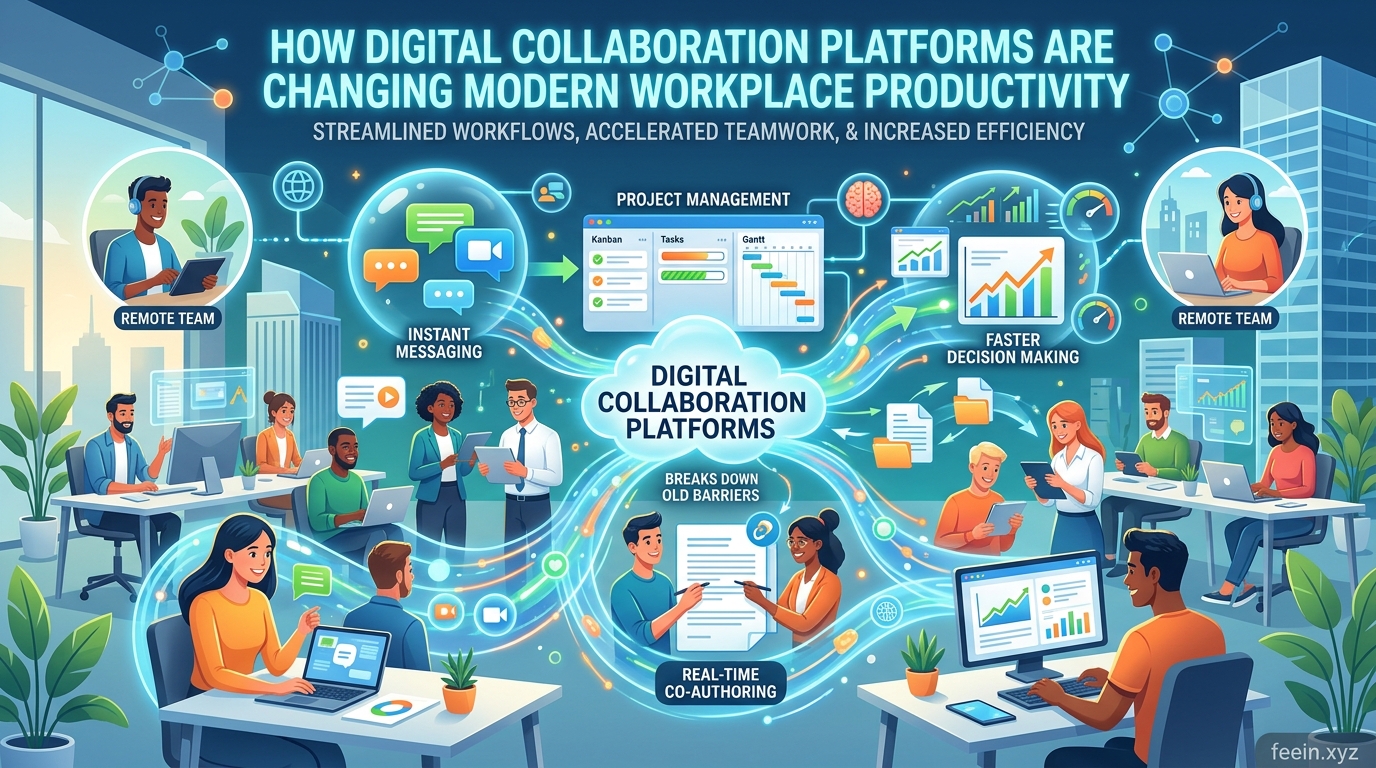
However, collaboration tools are not simply messaging applications. When implemented correctly, they can reshape how organizations manage projects, reduce operational inefficiencies, and improve employee focus.
In this article, you’ll learn:
- How collaboration platforms improve productivity
- Real-world workflow examples
- Common mistakes businesses make
- Best practices for remote and hybrid teams
- Future trends in workplace collaboration
What Are Digital Collaboration Platforms?
Digital collaboration platforms are software solutions designed to help teams communicate, share information, manage projects, and work together efficiently in digital environments.
These platforms often combine multiple features, including:
- Team messaging
- Video conferencing
- File sharing
- Task management
- Shared calendars
- Document collaboration
- Workflow tracking
Instead of relying on scattered emails and disconnected systems, businesses centralize communication and operations in one organized workspace.
Why Workplace Productivity Depends on Collaboration
Productivity is not only about working faster. In many organizations, productivity losses happen because of:
- Miscommunication
- Repeated tasks
- Poor file organization
- Delayed approvals
- Unclear responsibilities
- Information silos
In traditional office environments, employees could quickly solve problems face-to-face. In remote or hybrid work environments, small communication gaps can grow into major workflow issues.
Digital collaboration platforms help solve these challenges by creating structured communication systems and transparent workflows.
How Collaboration Platforms Improve Workplace Productivity
1. Faster Communication and Decision-Making
One of the biggest productivity improvements comes from reducing communication delays.
In many workplaces, employees previously relied heavily on long email chains for updates and approvals. This often caused:
- Slow responses
- Lost information
- Duplicate conversations
- Confusion between departments
Collaboration platforms improve this process through:
- Instant messaging channels
- Organized project discussions
- Real-time notifications
- Direct communication between teams
Real-World Example
Imagine a marketing team preparing a product launch.
The design department needs approval from managers, while content writers wait for updated visuals. Using only email can create delays that slow down the entire project.
With collaboration platforms:
- Feedback happens in real time
- Team members see updates instantly
- Files remain organized in one location
- Approval processes become faster
Even small communication improvements can significantly increase overall productivity.
2. Centralized Information Reduces Workflow Confusion
One common workplace problem is fragmented information.
Employees often waste time searching for:
- Project updates
- Shared files
- Meeting notes
- Older conversations
Collaboration platforms centralize important information into shared workspaces where everything remains accessible and organized.
Benefits of Centralized Workspaces
| Traditional Workflow Problems | Collaboration Platform Benefits |
|---|---|
| Lost email attachments | Centralized file storage |
| Repeated questions | Shared project visibility |
| Multiple document versions | Real-time document updates |
| Scattered communication | Organized team channels |
Reducing information fragmentation helps employees stay focused on meaningful work instead of administrative tasks.
3. Better Project Visibility Improves Accountability
Remote and hybrid work environments require better workflow transparency.
Collaboration platforms improve accountability through:
- Task assignments
- Progress tracking
- Activity history
- Deadline visibility
- Automated status updates
This allows managers and employees to understand project progress without excessive meetings or micromanagement.
Practical Example
In software development teams, collaboration systems allow developers, designers, and managers to track project milestones together.
Instead of scheduling multiple status meetings every week, teams can:
- Review progress dashboards
- Monitor completed tasks
- Identify workflow bottlenecks quickly
This saves time while improving coordination.
4. Real-Time Collaboration Speeds Up Work
Modern collaboration tools allow multiple users to work on documents simultaneously.
This eliminates many traditional workflow bottlenecks such as:
- Sending updated files repeatedly
- Confusing document versions
- Delayed feedback cycles
Advantages of Real-Time Collaboration
- Faster editing and reviews
- Improved teamwork
- Reduced project delays
- Better communication between departments
For businesses managing large projects, this creates smoother and more efficient workflows.
The Growing Importance of Collaboration in Remote Work
Remote work has changed how organizations operate.
Without proper collaboration systems, remote teams may struggle with:
- Delayed communication
- Employee isolation
- Reduced visibility
- Productivity inconsistency
Digital collaboration platforms help maintain workflow continuity regardless of employee location.
Example: Hybrid Work Environment
A company with both remote and office employees can use collaboration tools to:
- Schedule meetings
- Share project updates
- Assign responsibilities
- Track deadlines
This creates equal access to information across the organization.
Common Productivity Challenges Businesses Still Face
While collaboration platforms improve efficiency, poor implementation can still create problems.
Overcommunication and Notification Fatigue
Too many notifications can reduce focus and increase mental fatigue.
Employees may spend more time responding to messages than completing important work.
Solution
Businesses should:
- Limit unnecessary notifications
- Use organized communication channels
- Encourage focused work periods
Tool Overload
Some organizations use too many disconnected tools simultaneously.
This creates:
- Workflow confusion
- Duplicate systems
- Increased training complexity
Solution
Instead of adding endless applications, businesses should prioritize integrated and organized systems.
Best Practices for Using Collaboration Platforms Effectively
1. Organize Communication Channels Clearly
Create separate channels for:
- Departments
- Projects
- Support discussions
- Announcements
This keeps communication structured and searchable.
2. Reduce Unnecessary Meetings
Not every update requires a video call.
Many discussions can happen through:
- Shared documents
- Task comments
- Team messaging systems
Reducing unnecessary meetings helps employees maintain focus.
3. Automate Repetitive Workflows
Many collaboration platforms support automation features such as:
- Reminder notifications
- Automatic task assignments
- Workflow approvals
- Progress updates
Automation reduces repetitive administrative work and improves efficiency.
4. Train Employees Properly
Even powerful collaboration tools become inefficient if employees do not understand how to use them correctly.
Organizations should provide:
- Clear onboarding
- Workflow guidelines
- Communication standards
Security and Data Protection Considerations
Collaboration platforms often store sensitive information, including:
- Internal discussions
- Business documents
- Project data
- Client communication
Because of this, security should remain a top priority.
Important Security Practices
- Use strong passwords
- Enable two-factor authentication
- Restrict unnecessary file access
- Keep software updated regularly
Businesses should also educate employees about phishing attacks and account protection.
Future Trends in Workplace Collaboration
Collaboration technology continues to evolve rapidly.
Emerging trends include:
- AI-generated meeting summaries
- Smart workflow automation
- Predictive task management
- Productivity analytics
- Intelligent virtual workspaces
Future platforms will focus on improving productivity while reducing digital overload and communication fatigue.
Digital collaboration platforms have become essential tools for modern workplace productivity. By improving communication, centralizing information, supporting real-time teamwork, and increasing workflow transparency, these systems help organizations operate more efficiently in remote and hybrid environments.
However, productivity improvements depend not only on the software itself but also on how businesses organize workflows and communication practices.
Companies that implement collaboration platforms strategically can reduce operational friction, improve team coordination, and create more focused and productive work environments.
FAQ:
Q1: Do collaboration platforms improve productivity for small businesses?
Yes. Small businesses often benefit greatly because centralized communication reduces delays and improves organization.
Q2: Can collaboration tools replace email completely?
Not entirely, but they significantly reduce excessive internal email communication.
Q3: What is the biggest productivity benefit of collaboration platforms?
One major benefit is faster communication combined with centralized access to information.
Q4: Are collaboration platforms useful only for remote teams?
No. They also improve coordination in hybrid and traditional office environments.
Q5: Can too many collaboration tools reduce productivity?
Yes. Using too many disconnected tools can create confusion and notification overload. Simplicity and integration are important.









