In the past, building software required advanced programming skills, years of practice, and deep technical knowledge. However, the rise of no-code tools has completely changed this reality.
Today, anyone can create websites, mobile apps, automation systems, and digital products without writing a single line of code.
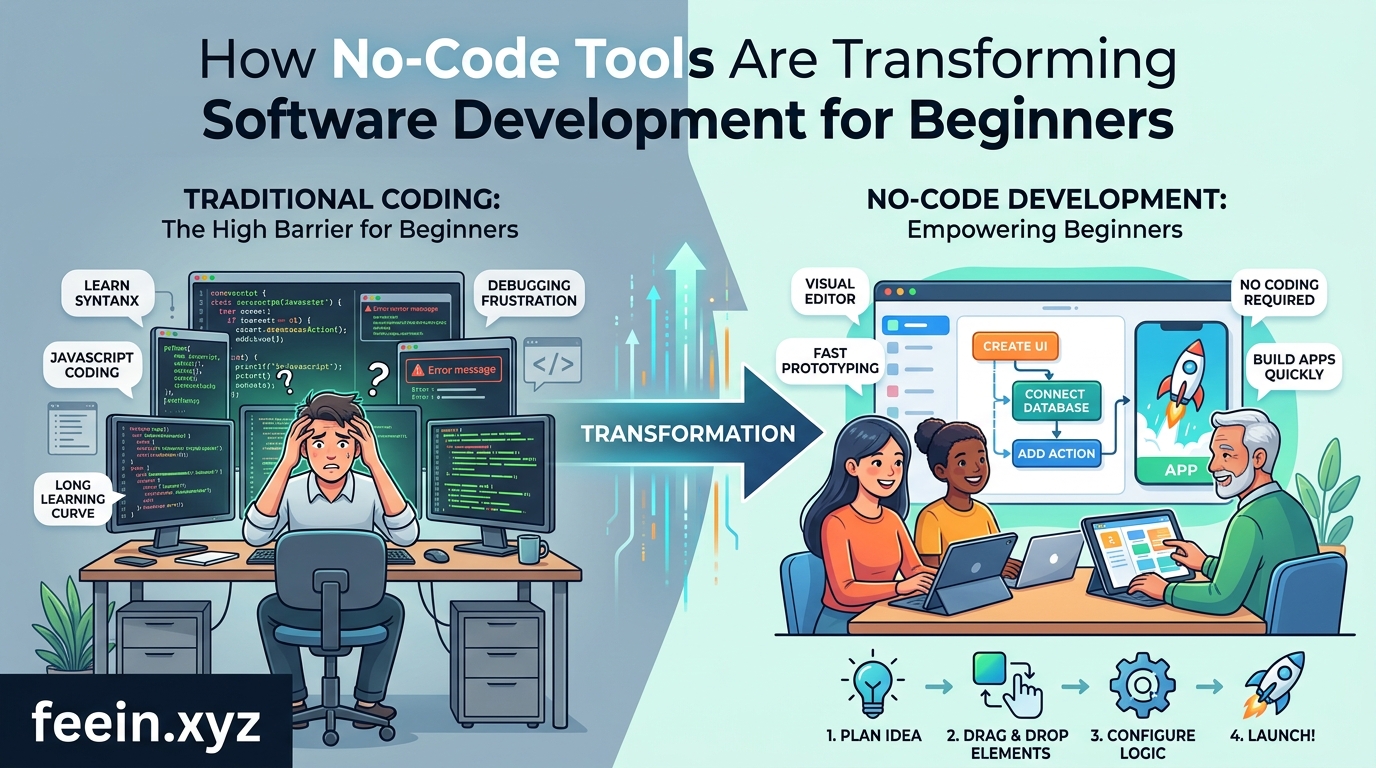
This shift is not just a trend — it represents a major transformation in how digital products are built and who can build them.
In this article, we will explore how no-code tools are changing software development, real-world use cases, benefits, limitations, and what the future looks like.
What Are No-Code Tools?
No-code tools are platforms that allow users to build software using visual interfaces instead of programming code.
Instead of writing code, users:
- Drag and drop elements
- Use templates
- Configure workflows visually
- Connect pre-built functions
Examples of no-code tools include:
- Website builders
- App builders
- Automation platforms
- Database tools
Why No-Code Is Becoming So Popular
The rise of no-code tools is driven by several real-world needs:
1. Speed of Development
Traditional coding can take weeks or months.
No-code tools can deliver results in hours or days.
2. Lower Technical Barrier
People without programming knowledge can now build software.
3. Cost Reduction
Businesses do not always need full development teams.
4. Rapid Prototyping
Ideas can be tested quickly before investing in full development.
Real-World Use Cases of No-Code Tools
Example 1: Small Business Website
A local business owner can create:
- Booking system
- Product pages
- Contact forms
Without hiring a developer.
Example 2: Startup MVP (Minimum Viable Product)
Startups use no-code tools to:
- Build early product versions
- Test market demand
- Collect user feedback
This reduces financial risk significantly.
Example 3: Workflow Automation
Companies automate tasks like:
- Sending emails
- Updating spreadsheets
- Managing customer data
Without writing backend code.
How No-Code Tools Work Behind the Scenes
Even though users do not write code, no-code platforms still rely on traditional programming in the background.
They provide:
- Pre-built logic systems
- Backend infrastructure
- API connections
- Cloud hosting
Users interact with a simplified visual layer on top of complex systems.
Benefits of No-Code Development
Faster Execution
Ideas turn into working products quickly.
Accessibility
Non-developers can build digital tools.
Flexibility
Easy to modify and update projects.
Scalability (within limits)
Many platforms now support growing businesses.
Limitations of No-Code Tools
While powerful, no-code tools have limitations:
Limited Customization
Advanced features may require coding.
Platform Dependency
You depend on the tool provider.
Performance Constraints
Not always suitable for very complex systems.
Scalability Challenges
Large-scale applications may need migration later.
Comparison — Traditional Coding vs No-Code
| Feature | Traditional Coding | No-Code Tools |
|---|---|---|
| Speed | Slow | Very Fast |
| Skill Required | High | Low |
| Flexibility | Very High | Medium |
| Cost | High | Low |
| Maintenance | Developer needed | Platform-based |
The Future of No-Code Technology
No-code is evolving rapidly. Future trends include:
AI-Powered No-Code
Users will describe apps in text, and AI will build them automatically.
Full Business Automation
Entire workflows (sales, marketing, support) will be automated visually.
Advanced App Creation
More complex apps will become possible without coding.
Integration Expansion
Better connection between tools and services.
Who Should Use No-Code Tools?
No-code tools are ideal for:
- Entrepreneurs
- Small business owners
- Freelancers
- Product managers
- Students learning tech concepts
However, large-scale engineering systems may still require traditional coding.
No-code tools are fundamentally changing how software is created. They are removing technical barriers and allowing more people to turn ideas into real digital products.
While they do not completely replace traditional development, they represent a powerful shift toward accessible, fast, and flexible software creation.
In the future, no-code and AI-driven development will likely merge, making software creation even more intuitive and automated.
FAQ
Q1: Can no-code tools replace developers?
Not completely. They simplify many tasks but cannot replace complex engineering work.
Q2: Are no-code tools good for startups?
Yes, especially for building prototypes and testing ideas quickly.
Q3: Do no-code apps scale well?
They can scale to a point, but very large systems may require migration.
Q4: Is coding knowledge still useful?
Yes, especially for advanced customization and optimization.









