However, simply using productivity tools does not automatically improve efficiency.
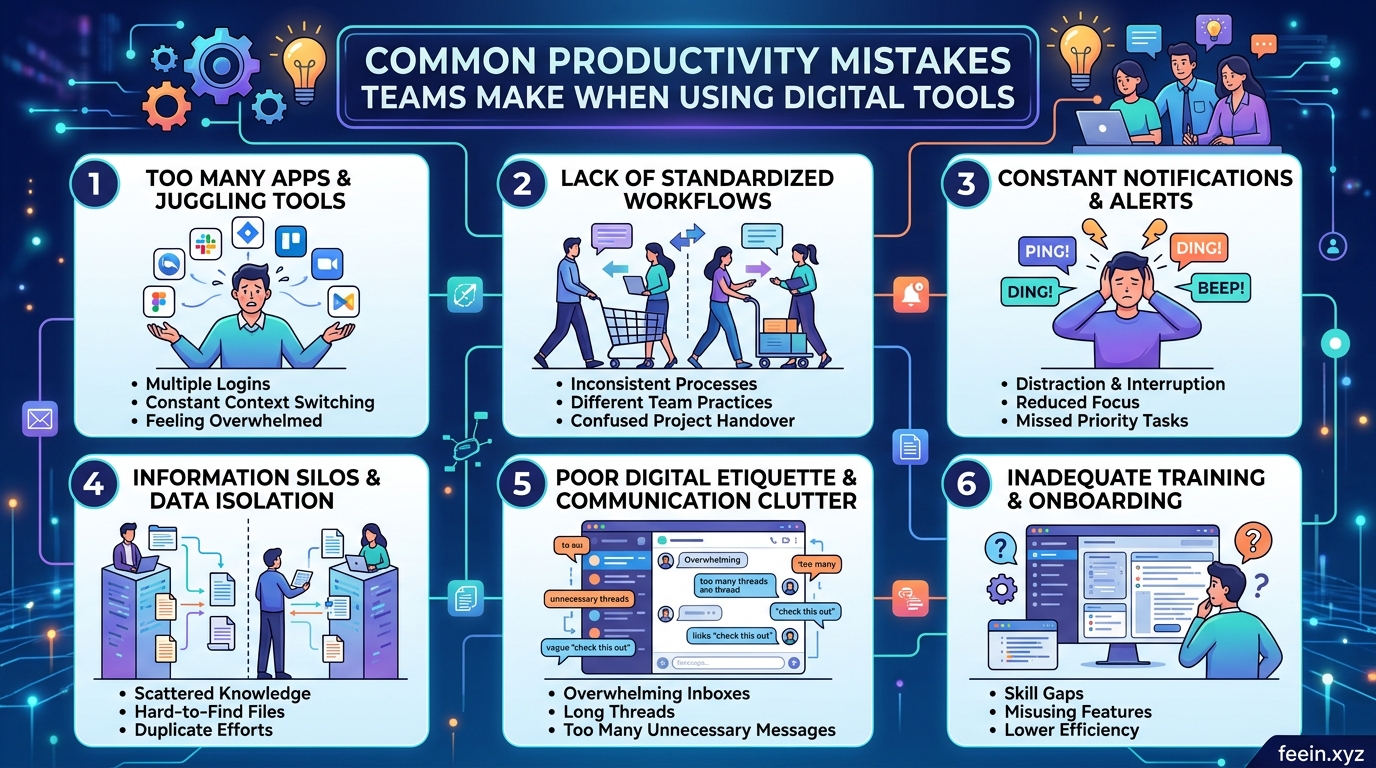
Many organizations adopt digital platforms expecting immediate improvements, only to experience confusion, communication problems, missed deadlines, and reduced productivity instead.
The issue is often not the tools themselves — but how teams use them.
In this guide, we will explore the most common productivity mistakes teams make when using digital tools, why these problems occur, and practical ways to avoid them.
This article focuses on real workplace scenarios and actionable insights that teams can apply immediately.
Why Productivity Problems Still Happen in Digital Work Environments
Modern workplaces rely heavily on:
- messaging platforms
- project management software
- shared cloud documents
- video conferencing tools
- workflow automation systems
While these technologies offer major advantages, they can also create:
- information overload
- constant distractions
- poor communication habits
- fragmented workflows
Without clear processes, digital tools may actually reduce productivity instead of improving it.
1. Using Too Many Tools at the Same Time
One of the most common mistakes teams make is adopting too many platforms simultaneously.
A company may use:
- one app for messaging
- another for task management
- separate software for file sharing
- additional tools for meetings and reporting
At first, this seems organized. In reality, employees often spend more time switching between applications than completing meaningful work.
Real-World Scenario
A remote marketing team used:
- chat software for communication
- email for approvals
- spreadsheets for planning
- separate task management software
- cloud storage platforms
Important updates became scattered across multiple systems. Employees missed deadlines because information was difficult to track.
After simplifying workflows and reducing unnecessary tools, the team improved project completion speed significantly.
How to Avoid This Mistake
Teams should:
- reduce overlapping software
- choose integrated platforms when possible
- define the purpose of each tool clearly
- avoid introducing unnecessary applications
Digital simplicity often improves efficiency more than adding new software.
2. Poor Communication Structure
Digital communication can quickly become chaotic without organization.
Many teams create:
- too many chat channels
- unclear discussion threads
- excessive notifications
- unnecessary meetings
As a result, employees struggle to identify important information.
Common Communication Problems
Information Gets Buried
Important project updates disappear inside long chat conversations.
Employees Feel Constantly Interrupted
Frequent notifications reduce focus and deep work.
Meetings Replace Clear Documentation
Teams sometimes rely on meetings instead of maintaining organized written processes.
Better Communication Practices
Successful teams often:
- create dedicated channels by department or project
- establish response expectations
- document decisions clearly
- limit unnecessary notifications
- use meetings only when needed
Clear communication structures reduce confusion and improve accountability.
3. Ignoring Employee Training
Many companies introduce advanced productivity tools without properly training employees.
This creates problems such as:
- underused features
- workflow inconsistencies
- employee frustration
- avoidable errors
Even highly capable software becomes ineffective if teams do not understand how to use it efficiently.
Practical Example
A company implemented a new project management platform to improve workflow visibility.
However:
- employees continued tracking tasks manually
- managers used inconsistent project labels
- deadlines were entered incorrectly
The system became unreliable because the team lacked proper onboarding and usage guidelines.
Best Practice
Organizations should provide:
- onboarding sessions
- workflow documentation
- simple tutorials
- regular process reviews
Training improves both adoption and long-term productivity.
4. Focusing on Activity Instead of Results
Digital tools make it easy to track activity:
- messages sent
- tasks created
- meetings attended
- online status indicators
But high activity does not always equal meaningful productivity.
Some teams become overly focused on appearing busy instead of delivering measurable outcomes.
Why This Is Harmful
Employees may:
- respond instantly to every notification
- attend unnecessary meetings
- multitask constantly
- avoid focused work sessions
Over time, this reduces work quality and increases burnout.
Smarter Productivity Metrics
Effective teams focus on:
- completed projects
- quality of work
- problem-solving
- collaboration effectiveness
- customer or business outcomes
Digital tools should support results — not create unnecessary digital noise.
5. Lack of Workflow Standardization
Without standardized workflows, teams often create inconsistent processes.
For example:
- different file naming systems
- inconsistent task priorities
- unclear approval steps
- varying communication habits
This leads to delays and operational confusion.
Example of Workflow Confusion
A design team stored files using different naming conventions.
As projects expanded:
- employees downloaded outdated versions
- duplicate work increased
- clients received incorrect files
A simple standardized file structure solved the issue.
Workflow Improvement Strategies
Teams should establish:
- clear naming systems
- documented procedures
- shared templates
- defined approval processes
Consistency improves efficiency across departments.
6. Neglecting Digital Well-Being
Productivity tools can unintentionally encourage constant availability.
Many employees feel pressure to:
- reply instantly
- stay online continuously
- monitor notifications after work hours
This creates mental fatigue and reduces long-term productivity.
Signs of Digital Overload
Common symptoms include:
- difficulty concentrating
- reduced creativity
- communication fatigue
- increased stress levels
Healthy productivity depends on sustainable work habits.
Healthy Digital Practices
Organizations can improve well-being by encouraging:
- focused work periods
- notification management
- meeting-free time blocks
- realistic response expectations
Balanced digital habits support both performance and employee satisfaction.
How High-Performing Teams Use Productivity Tools Differently
Successful teams typically treat productivity tools as support systems — not as replacements for clear processes.
They focus on:
clarity
organization
documentation
collaboration
sustainable communication habits
The tools themselves matter less than the systems surrounding them.
The Future of Digital Productivity
As workplaces continue evolving, productivity tools are becoming more intelligent through:
- AI-assisted task management
- workflow automation
- predictive scheduling
- smart collaboration systems
However, even advanced technology cannot replace strong communication and structured workflows.
The human side of productivity remains essential.
Digital tools can significantly improve teamwork, communication, and efficiency but only when used thoughtfully.
Many productivity problems come from:
- poor communication structures
- excessive tool usage
- lack of training
- inconsistent workflows
- digital overload
Teams that prioritize clarity, organization, and sustainable work habits often achieve better results than those relying solely on technology.
Understanding these common mistakes helps organizations create healthier and more effective digital work environments.
Frequently Asked Questions
Q1: Can too many productivity tools reduce efficiency?
Yes. Switching constantly between platforms can create distractions and workflow confusion.
Q2: Why do teams struggle with digital communication?
Common reasons include unclear processes, excessive notifications, and poorly organized communication channels.
Q3: Are productivity tools enough to improve teamwork?
No. Teams also need clear workflows, training, and communication standards.
Q4: How can companies reduce digital overload?
Organizations can reduce overload by limiting unnecessary meetings, managing notifications, and encouraging focused work periods.
Q5: What is the biggest productivity mistake teams make?
One of the biggest mistakes is prioritizing constant activity over meaningful results and focused work.









