Most people believe online privacy problems only happen to celebrities, large companies, or users with poor technical knowledge. In reality, personal information is often exposed through small everyday actions that seem completely harmless.
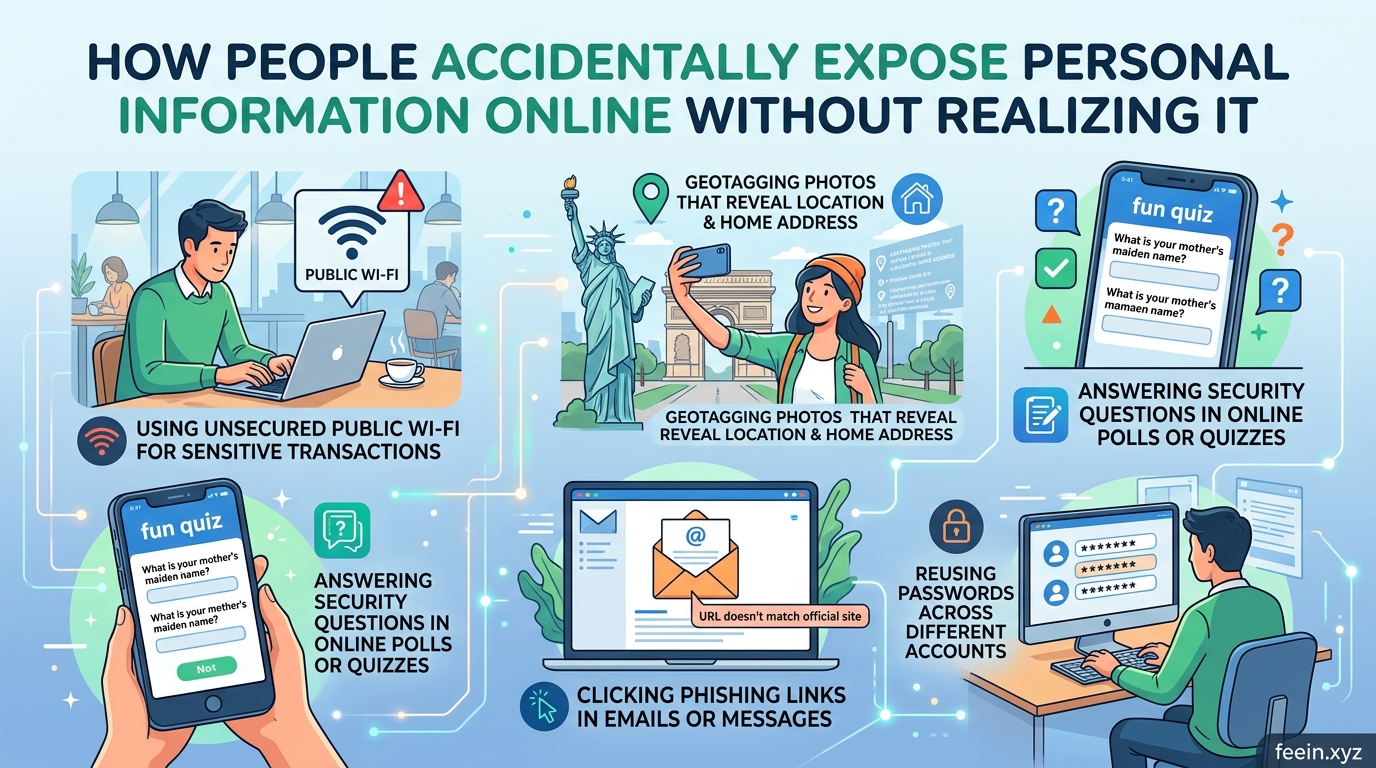
Posting vacation photos, using public Wi-Fi, accepting app permissions too quickly, or reusing old passwords may not feel dangerous at the moment. However, these habits can gradually reveal sensitive information about identity, location, finances, routines, and online accounts.
What makes this issue more concerning is that many people do not realize how much information they share until a problem occurs — such as unauthorized account access, targeted scams, or identity theft attempts.
This guide explains how personal information is accidentally exposed online, why it happens, and what practical steps users can take to reduce risks without needing advanced technical skills.
The Difference Between Private and Public Information Online
One common misunderstanding is assuming that information shared online stays within a limited audience.
In reality, digital platforms constantly collect, process, and distribute data through:
- apps,
- websites,
- advertising systems,
- analytics tools,
- cloud services,
- and social networks.
Even when users believe something is private, certain details may still become visible through:
- weak privacy settings,
- third-party app permissions,
- data breaches,
- screenshots,
- shared devices,
- or public indexing.
For example:
A person may share a photo inside a “private” social group without realizing that:
- location metadata may still exist,
- usernames are searchable,
- or other users can redistribute the image publicly.
Small details often create larger privacy risks over time.
Everyday Situations Where People Accidentally Expose Information
1. Oversharing on Social Media
Social media is one of the biggest sources of accidental data exposure.
Many users post:
- birthdays,
- travel plans,
- school names,
- workplace details,
- pet names,
- family information,
- and live location updates.
Individually, these details may appear harmless.
Combined together, however, they can help:
- scammers answer security questions,
- attackers guess passwords,
- or criminals identify behavioral patterns.
Real-World Example
A user publicly posted:
- vacation dates,
- airport photos,
- hotel check-ins,
- and daily travel updates.
This unintentionally informed strangers that:
- the person was away from home,
- their house may be empty,
- and their routine was temporarily predictable.
Many users do not think about privacy risks while posting in real time.
2. Reusing Passwords Across Multiple Accounts
Password reuse remains one of the most common security mistakes online.
People often reuse passwords because:
- it feels convenient,
- they fear forgetting credentials,
- or they underestimate online threats.
The problem begins when one website experiences a data breach.
Attackers frequently test leaked credentials on:
- email accounts,
- shopping platforms,
- banking services,
- streaming apps,
- and cloud storage systems.
This is known as a credential stuffing attack.
Why This Happens So Often
Many users assume:
“Nobody would target my account.”
In reality, attacks are usually automated. Software tools attempt millions of leaked password combinations every day.
3. Accepting App Permissions Without Reading Them
Modern apps often request access to:
- contacts,
- camera,
- microphone,
- storage,
- location,
- browsing activity,
- or device information.
Most users quickly tap “Allow” without checking why permissions are needed.
Some applications legitimately require these permissions. Others collect far more data than necessary for functionality.
Common Example
A simple flashlight app requesting:
- location access,
- contact lists,
- and microphone permissions
may indicate unnecessary data collection behavior.
Many people never review permissions again after installation.
4. Using Public Wi-Fi Without Protection
Public Wi-Fi networks in:
- airports,
- hotels,
- cafés,
- and shopping centers
can expose users to security risks if connections are not properly secured.
On unsafe networks, attackers may attempt to intercept:
- login credentials,
- browsing sessions,
- or sensitive activity.
Although modern websites increasingly use encryption, unsafe browsing habits on public networks still create risks.
Common Mistake
Many users log into:
- email,
- banking apps,
- or work accounts
while connected to unsecured public Wi-Fi without considering network safety.
5. Sharing Too Much Information in Online Quizzes and Trends
Viral quizzes and social media trends sometimes collect personal details disguised as entertainment.
Examples include:
- “Your first pet + birth month = your superhero name”
- “What city should you live in?”
- “What was your childhood nickname?”
These questions often resemble:
- password recovery prompts,
- security questions,
- or identity verification details.
Users may unknowingly reveal sensitive information publicly.
Why Personal Data Has Value
Personal information is valuable because it helps companies and malicious actors build detailed user profiles.
Data may be used for:
- targeted advertising,
- phishing attempts,
- impersonation,
- fraud,
- account recovery attacks,
- or identity theft.
Even partial information can become dangerous when combined with other leaked data sources.
Psychological Reasons People Overshare Online
Many online privacy mistakes happen because digital environments feel informal and familiar.
People often share more information when:
- they feel emotionally comfortable,
- platforms encourage engagement,
- or they trust online communities too quickly.
Features such as:
- instant reactions,
- story updates,
- live streams,
- and trend participation
encourage rapid posting without careful review.
This creates impulsive behavior that may expose personal details unintentionally.
Practical Ways to Protect Personal Information Online
Use Strong Unique Passwords
Every important account should use:
- a unique password,
- sufficient length,
- and unpredictable combinations.
Password managers help reduce password reuse problems.
Review Privacy Settings Regularly
Most users never revisit privacy settings after creating accounts.
Checking settings periodically helps control:
- who sees content,
- app permissions,
- location sharing,
- and public profile visibility.
Think Before Posting in Real Time
Sharing experiences is normal, but timing matters.
Posting travel photos after returning home is often safer than posting live location updates continuously.
Limit Unnecessary App Permissions
Review:
- camera access,
- microphone permissions,
- contact access,
- and location settings.
Disable anything unnecessary.
Be Careful With Security Questions
Avoid publicly sharing details commonly used for account recovery, such as:
- pet names,
- hometowns,
- birthdays,
- or school information.
The Growing Importance of Digital Awareness
Online privacy is no longer only a technical issue. It has become part of everyday digital behavior.
Many privacy problems happen not because people are careless, but because modern platforms encourage constant sharing and convenience.
Understanding how information spreads online helps users make more informed decisions about:
- what they share,
- where they share it,
- and who can access it.
Small changes in online habits can significantly reduce long-term privacy risks.
People accidentally expose personal information online every day through routine digital behavior. Social media activity, weak passwords, unsafe app permissions, and oversharing can slowly create serious privacy risks over time.
The good news is that improving online privacy does not always require advanced technical skills. In many cases, awareness and simple habit changes make a major difference.
By understanding how information is exposed and applying safer digital practices, users can better protect their accounts, identities, and personal data in an increasingly connected world.
Frequently Asked Questions
Can personal information shared online be removed completely?
Not always. Some information may remain archived, cached, or reshared by others even after deletion.
Are private social media accounts fully secure?
Private accounts improve privacy, but screenshots, resharing, and platform vulnerabilities can still expose content.
Why do websites collect user data?
Many websites collect data for:
- analytics,
- personalization,
- advertising,
- and service improvement.
The amount and type of data collection vary by platform.
Is public Wi-Fi always dangerous?
Not necessarily, but unsecured or poorly managed networks increase exposure risks, especially when accessing sensitive accounts.
Do ordinary users really get targeted online?
Yes. Many attacks are automated and target large numbers of users rather than specific individuals.









