Many digital tasks performed daily in modern workplaces are repetitive. Copying data between tools, sending routine emails, updating spreadsheets, assigning tasks, and organizing files are common activities that consume time but require little decision-making.
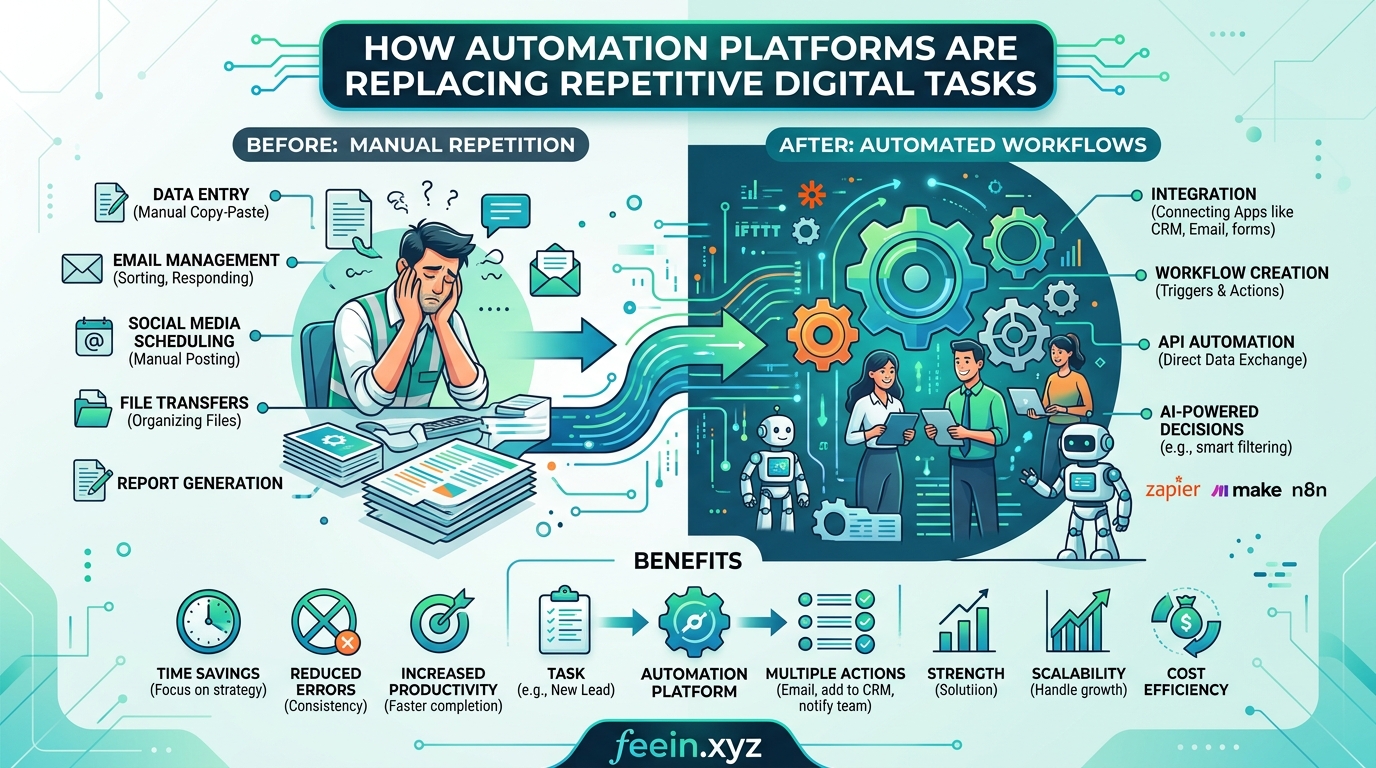
Automation platforms are changing this workflow. Instead of manually repeating the same steps, these tools allow users to create automated processes that run in the background. This shift reduces manual effort and improves consistency.
This article explores how automation platforms replace repetitive digital tasks, examines real-world scenarios, discusses benefits and limitations, and explains how organizations and individuals can adopt automation responsibly.
What Are Automation Platforms?
Automation platforms are software systems that connect different tools and perform actions automatically based on predefined rules.
For example, an automation workflow may:
- Save email attachments to cloud storage
- Create tasks when forms are submitted
- Send notifications when deadlines approach
- Update spreadsheets after data changes
- Assign tickets to team members automatically
These platforms act as digital bridges between applications, allowing tasks to move forward without manual intervention.
Why Repetitive Digital Tasks Are a Problem
Repetitive tasks may appear small individually, but over time they create inefficiencies.
Common issues include:
- Time lost on manual updates
- Increased risk of human error
- Delayed workflows
- Inconsistent task handling
- Reduced focus on meaningful work
When employees spend hours performing predictable tasks, productivity declines. Automation platforms aim to eliminate these inefficiencies.
Real-World Use Cases of Automation
1. Email-to-Task Automation
Scenario:
A team receives project requests through email. Someone manually reads each message and creates tasks.
Automation solution:
- Detect incoming request emails
- Extract details automatically
- Create task in project management system
- Assign to appropriate team member
Result:
Faster response time and consistent task tracking.
2. Form Submission Workflow
Scenario:
A company collects customer inquiries through a form. Staff manually copy responses into a spreadsheet.
Automation solution:
- Capture form submission
- Store data automatically in database
- Send confirmation email
- Notify responsible team
Result:
No manual copying and improved response reliability.
3. File Organization Automation
Scenario:
Documents uploaded by employees are manually sorted into folders.
Automation solution:
- Detect uploaded file
- Identify file type or project name
- Move file into correct folder
- Notify team
Result:
Organized file structure without manual sorting.
4. Scheduled Reporting
Scenario:
A team creates weekly performance reports manually.
Automation solution:
- Collect data from multiple sources
- Generate summary
- Send report automatically
- Schedule delivery weekly
Result:
Consistent reporting with less effort.
Benefits of Automation Platforms
Increased Productivity
Automation removes repetitive steps, allowing teams to focus on meaningful work such as analysis, planning, and decision-making.
Reduced Human Error
Manual data entry often leads to mistakes. Automation ensures tasks follow predefined rules consistently.
Faster Workflows
Automated processes run instantly, reducing delays between steps.
Improved Consistency
Automation ensures the same process is followed every time, which is important for operational reliability.
Better Scalability
As workload increases, automated systems handle more tasks without proportional increase in manual effort.
Types of Tasks Best Suited for Automation
Not all tasks should be automated. The best candidates include:
- Repetitive tasks
- Rule-based decisions
- Data transfer between tools
- Scheduled processes
- Notifications and reminders
Tasks requiring human judgment, creativity, or complex decision-making should remain manual.
Common Mistakes When Using Automation
Automating Poor Processes
Automation should improve workflows, not preserve inefficient ones. Teams should simplify processes before automating them.
Over-Automation
Automating too many tasks can reduce flexibility and make workflows harder to understand.
Lack of Monitoring
Automated systems should be reviewed periodically to ensure they still function correctly.
Ignoring Error Handling
Automation workflows should include fallback actions when failures occur.
Automation and the Future of Work
Automation platforms are evolving beyond simple rule-based systems. Modern tools increasingly include:
- AI-assisted workflow suggestions
- Smart triggers based on behavior
- Automated decision support
- Predictive scheduling
- Intelligent data routing
These features shift automation from simple task execution to intelligent workflow optimization.
Practical Tips for Getting Started With Automation
Start Small
Begin with one repetitive task rather than automating everything at once.
Document the Process
Understand each step before creating automation.
Test Before Full Use
Run automation in a test environment to ensure correct behavior.
Review Regularly
Processes change over time, so automation should be updated accordingly.
When Automation Is Not Ideal
Automation is not always the best solution. It may not be suitable when:
- Tasks change frequently
- Decisions require human judgment
- Processes are not clearly defined
- Data inputs are inconsistent
In these cases, manual workflows may remain more reliable.
Future Trends in Automation Platforms
The next generation of automation tools is expected to include:
- AI-driven workflow generation
- Natural language automation setup
- Cross-platform intelligent coordination
- Predictive task handling
- Autonomous digital assistants
These developments aim to make automation accessible even to non-technical users.
Automation platforms are gradually replacing repetitive digital tasks by connecting tools and executing workflows automatically. This shift improves productivity, reduces errors, and enables teams to focus on meaningful work.
When implemented carefully, automation enhances efficiency without removing human oversight. As technology advances, automation will continue to play a larger role in shaping the future of digital work environments.
FAQ
What are automation platforms used for?
They automate repetitive digital tasks such as data transfer, notifications, and workflow management.
Do automation platforms require coding knowledge?
Many platforms offer visual interfaces that allow users to create workflows without coding.
Can automation replace human work completely?
No. Automation handles repetitive tasks, while humans manage decision-making and creative work.
Is automation suitable for small teams?
Yes. Even small teams benefit from reduced manual work and improved organization.









