Over the past decade, one hardware upgrade has dramatically changed the way computers perform: the Solid-State Drive, commonly known as the SSD.
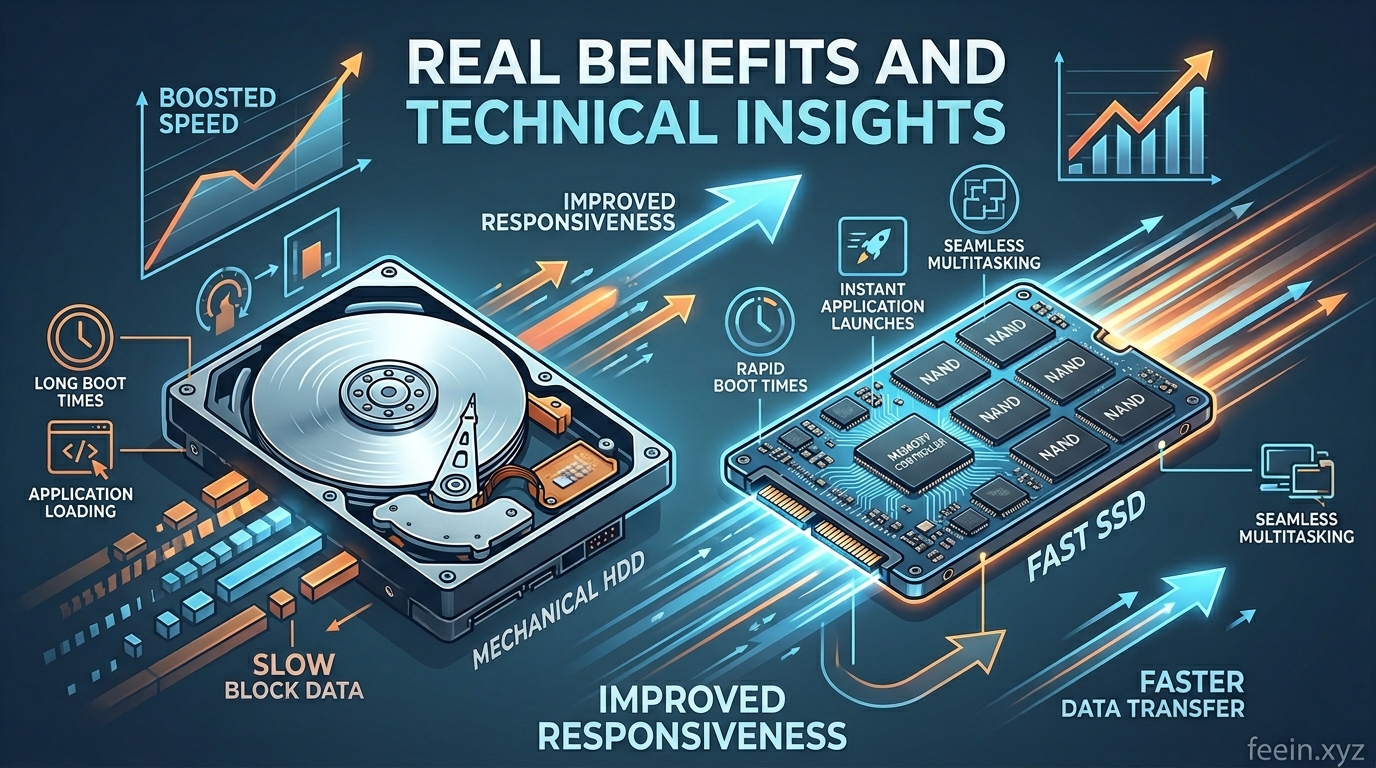
For many users, switching from a traditional hard disk drive (HDD) to an SSD feels like upgrading to an entirely new computer. Systems boot faster, applications open instantly, and overall responsiveness improves significantly.
But why are SSDs so much faster?
The answer goes beyond simple marketing claims. SSD technology fundamentally changed how computers store and access data.
In this article, we’ll explore:
- how SSDs work,
- why they improved performance so dramatically,
- real-world examples of SSD benefits,
- technical differences between SSDs and HDDs,
- common misconceptions,
- and how SSD technology continues evolving today.
This guide focuses on practical understanding while also explaining the technical principles behind modern storage systems.
What Is an SSD?
An SSD (Solid-State Drive) is a storage device that uses flash memory to store data electronically.
Unlike traditional hard drives, SSDs contain:
- no spinning disks,
- no moving read/write arms,
- no mechanical components.
Instead, SSDs access data through integrated memory chips, allowing information to be retrieved almost instantly.
This design dramatically reduces delays associated with mechanical movement.
Before SSDs: The Limitations of Traditional Hard Drives
To understand the impact of SSDs, it’s important to understand how older HDDs worked.
Traditional hard drives store data on spinning magnetic disks called platters.
When data is requested:
- the platters spin,
- a mechanical arm moves into position,
- the drive locates the correct sector,
- data is finally read.
This process happens extremely quickly by human standards — but still much slower than electronic memory access.
Mechanical systems introduce several limitations:
- physical movement delays,
- slower random access,
- increased wear over time,
- noise and heat generation.
As software became more advanced, these limitations became increasingly noticeable.
How SSDs Changed Computer Performance
SSDs improved performance because they removed the mechanical bottleneck that limited traditional storage systems.
Let’s explore the real-world improvements users experienced.
1. Faster Boot Times
One of the most noticeable SSD improvements is startup speed.
Older HDD-based systems often required:
- 1–3 minutes to fully boot,
- additional waiting before applications became responsive.
Modern SSD-based systems may boot in:
- 10–20 seconds,
- sometimes even faster.
This improvement occurs because SSDs retrieve system files almost instantly.
Real-World Example
A laptop using:
- a traditional 5400 RPM HDD may take over 90 seconds to start,
- while the same system upgraded with an SSD may boot in under 15 seconds.
Many users describe this as the single most noticeable computer upgrade they have ever experienced.
2. Applications Open Much Faster
Modern applications contain thousands of files and dependencies.
When using an HDD:
- programs load gradually,
- large files create delays,
- multitasking slows performance.
SSDs dramatically reduce these delays because they handle random data access far more efficiently.
This improves:
- office software,
- web browsers,
- editing programs,
- development tools,
- creative applications.
Large applications that once took 20–30 seconds to launch may now open almost instantly.
3. Better Multitasking Performance
Modern operating systems constantly read and write data in the background.
Examples include:
- updates,
- cloud syncing,
- antivirus scans,
- browser caching,
- temporary files.
HDDs struggle when many read/write operations happen simultaneously.
SSDs handle multiple operations much more efficiently, making systems feel smoother during multitasking.
This is especially noticeable when:
- switching between applications,
- opening many browser tabs,
- transferring files while working.
4. Improved Gaming Experience
Games today load:
- high-resolution textures,
- large environments,
- audio assets,
- real-time data streams.
SSDs reduce:
- loading screens,
- texture pop-in,
- open-world streaming delays.
In some modern games, SSDs are now considered essential because game engines are designed around fast storage access.
For example:
- open-world games load environments continuously while players move,
- SSDs allow these assets to load quickly without interruptions.
5. Increased Reliability
Because SSDs have no moving parts, they are generally:
- more shock-resistant,
- quieter,
- less vulnerable to physical damage.
Traditional HDDs can fail if:
- dropped,
- exposed to vibration,
- affected by mechanical wear.
This makes SSDs particularly valuable for:
- laptops,
- portable devices,
- mobile workstations.
Technical Insight: Why SSDs Are Faster
The key difference lies in access time.
HDD Access Process
A hard drive must:
- physically spin,
- move the read head,
- locate data.
Even tiny mechanical delays accumulate over thousands of operations.
SSD Access Process
An SSD:
- accesses memory electronically,
- retrieves data almost instantly,
- handles random access extremely efficiently.
This dramatically reduces latency.
Sequential vs Random Performance
Storage speed is not just about transferring large files.
There are two major performance types:
| Type | Description |
|---|---|
| Sequential Performance | Reading large continuous files |
| Random Performance | Accessing many small scattered files |
Operating systems rely heavily on random access.
SSDs excel at random performance, which is why systems feel dramatically more responsive even when theoretical transfer speed differences seem moderate.
SATA SSD vs NVMe SSD
Modern SSDs come in different forms.
SATA SSDs
These use older SATA interfaces originally designed for HDDs.
They are:
- affordable,
- much faster than HDDs,
- common in many systems.
NVMe SSDs
NVMe drives connect directly through PCIe lanes.
They offer:
- significantly higher speeds,
- lower latency,
- better multitasking performance.
NVMe drives are especially useful for:
- video editing,
- gaming,
- professional workloads,
- large file transfers.
Real-World Productivity Improvements
SSDs improved not only speed but also workflow efficiency.
Professionals noticed major gains in:
- video rendering,
- software compilation,
- large project loading,
- database operations,
- virtualization.
For remote workers, SSDs improved:
- startup times,
- responsiveness during meetings,
- cloud synchronization performance.
Even everyday users experienced smoother browsing and reduced frustration.
Common Misconceptions About SSDs
SSDs Only Help File Transfers
False.
The biggest improvement often comes from:
- responsiveness,
- random access speed,
- multitasking smoothness.
More SSD Speed Always Feels Noticeable
Not always.
Upgrading from HDD → SSD creates a massive improvement.
However:
- upgrading from one fast SSD to another faster SSD
may produce smaller real-world differences for average users.
SSDs Never Fail
SSDs are reliable but still wear over time.
Flash memory has limited write cycles, though modern SSD lifespans are generally very long for everyday users.
Why SSDs Became Essential in Modern Computing
Modern software assumes fast storage availability.
Today’s systems rely heavily on:
- caching,
- streaming assets,
- virtualization,
- background synchronization,
- AI-assisted workflows.
Without SSDs:
- many modern experiences would feel significantly slower,
- multitasking would become frustrating,
- advanced applications would struggle to perform efficiently.
The Future of SSD Technology
SSD technology continues evolving rapidly.
Future developments include:
- faster PCIe generations,
- lower latency designs,
- higher capacities,
- improved energy efficiency,
- AI-optimized storage management.
As applications become more demanding, storage performance will remain a critical part of overall system responsiveness.
SSDs transformed computer performance by removing one of the largest hardware bottlenecks in traditional computing: mechanical storage delays.
Compared to HDDs, SSDs provide:
- faster startup times,
- smoother multitasking,
- improved application responsiveness,
- better gaming performance,
- increased reliability.
Their impact extends far beyond simple speed benchmarks — SSDs fundamentally changed how modern computers feel and operate in everyday use.
Understanding how SSD technology works helps users make more informed decisions when upgrading or purchasing modern devices.
Frequently Asked Questions
Is upgrading to an SSD worth it for older computers?
Yes. Replacing an HDD with an SSD is often one of the most effective upgrades for improving overall responsiveness.
Do SSDs improve gaming FPS?
SSDs mainly improve loading times and asset streaming. FPS improvements are usually limited unless storage bottlenecks were severe.
How long do SSDs last?
Modern SSDs typically last many years under normal consumer workloads.
Are NVMe SSDs much faster than SATA SSDs?
Yes. NVMe SSDs offer significantly higher speeds, especially for demanding workloads and large file transfers.
Can SSDs fail suddenly?
Like all storage devices, SSDs can fail, which is why regular backups remain important.









