Website speed plays a major role in user experience, search visibility, and overall website performance. Visitors expect pages to load quickly, and even small delays can increase bounce rates and reduce engagement.
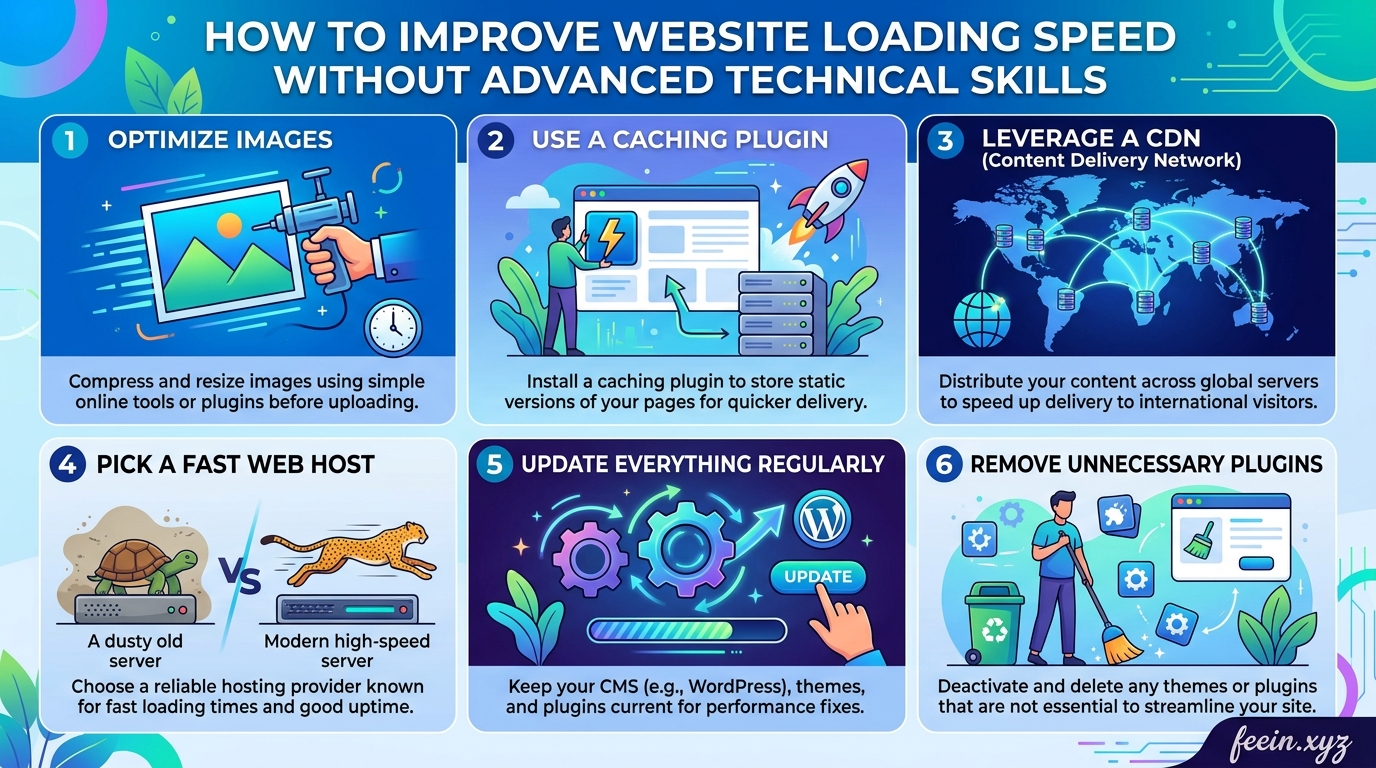
Many beginners believe website optimization requires advanced coding knowledge or expensive development services. In reality, several effective improvements can be made using simple tools and basic settings.
This guide explains how to improve website loading speed without advanced technical skills. It focuses on practical methods that website owners, bloggers, and beginners can apply immediately.
Why Website Speed Matters
A slow website affects more than just convenience.
It can influence:
- User experience
- Search engine visibility
- Mobile usability
- Visitor retention
- Page engagement
When pages take too long to load, users often leave before interacting with the content.
Real-World Example
Imagine a visitor searching for:
“How to protect personal data online”
They open two websites:
- Website A loads in 2 seconds
- Website B loads in 8 seconds
Most users will stay on the faster website, even if both contain similar information.
This demonstrates why loading speed directly affects traffic and user behavior.
Common Causes of Slow Websites
Before improving speed, it helps to understand what usually slows websites down.
Large Image Files
High-resolution images that are not optimized often create unnecessary loading delays.
Too Many Plugins
Some website owners install many plugins without checking performance impact.
Certain plugins continuously load scripts and database requests, slowing pages significantly.
Poor Hosting Quality
Low-quality hosting services may struggle during traffic spikes or resource-heavy requests.
Unoptimized Themes
Heavy themes with excessive animations and unnecessary features can reduce performance.
Excessive External Scripts
Too many ads, tracking tools, or third-party widgets can increase loading times.
How to Improve Website Loading Speed
The following methods are beginner-friendly and do not require advanced technical experience.
1. Optimize Images Before Uploading
Images are one of the biggest contributors to slow websites.
Many beginners upload large images directly from phones or design software without compression.
Practical Improvement
Before uploading:
- Resize images to appropriate dimensions
- Compress image files
- Use modern formats when possible
Recommended Image Practices
| Image Type | Recommended Format |
|---|---|
| Photos | WebP or JPEG |
| Logos | PNG or SVG |
| Graphics | WebP |
Realistic Scenario
A homepage with:
- 10 uncompressed images
- each image = 5 MB
Total page size:
50 MB
After optimization:
Less than 5 MB total
This dramatically improves loading speed.
2. Reduce Unnecessary Plugins
Plugins add functionality, but too many can slow websites considerably.
Signs of Plugin Overload
- Slow admin dashboard
- Delayed page rendering
- Increased mobile lag
- Frequent loading interruptions
Beginner-Friendly Tip
Review plugins regularly and ask:
“Do I truly need this feature?”
Remove:
- inactive plugins
- duplicate functionality
- outdated tools
3. Use a Lightweight Website Theme
Some themes prioritize appearance over performance.
Heavy visual effects can increase loading time significantly.
What to Look for in a Theme
Choose themes that are:
- responsive
- lightweight
- regularly updated
- optimized for performance
Avoid themes overloaded with:
- animations
- sliders
- unnecessary widgets
4. Enable Caching
Caching stores temporary versions of website pages so visitors do not need to reload everything from scratch every time.
This reduces server load and speeds up browsing.
Simple Analogy
Without caching:
The website rebuilds the page every visit.
With caching:
A ready-made version is delivered instantly.
Benefits of Caching
- Faster page delivery
- Reduced hosting resource usage
- Better user experience
Many beginner-friendly caching plugins provide simple setup options.
5. Limit Heavy Advertisements and Popups
Excessive ads and aggressive popups can slow websites dramatically.
This is especially important for websites applying to AdSense.
Common Problems
Too many:
- banner ads
- autoplay videos
- popups
- external ad scripts
can create poor user experience signals.
Best Practice
Focus on:
- clean layout
- readable content
- balanced monetization
Google values user experience heavily.
6. Improve Mobile Performance
Most visitors now browse websites using mobile devices.
A site that performs well on desktop but poorly on mobile still creates negative user experience.
Beginner-Friendly Mobile Tips
- Use responsive layouts
- Avoid oversized images
- Reduce unnecessary animations
- Test pages on multiple devices
7. Minimize External Requests
Every external script requires additional loading time.
Examples include:
- fonts
- analytics tools
- social widgets
- embedded videos
Practical Recommendation
Only use essential third-party tools.
Too many external resources create:
- slower rendering
- delayed interaction
- higher bounce rates
8. Choose Reliable Website Hosting
Hosting quality directly affects loading speed.
Even well-optimized websites can feel slow on poor hosting infrastructure.
What Good Hosting Provides
- Stable uptime
- Fast server response
- Better resource allocation
- Improved security
Reliable hosting creates a stronger foundation for website performance.
Common Mistakes Beginners Make
Learning from mistakes is often as valuable as optimization itself.
Uploading Full-Resolution Images
Many users upload:
4000px photos for small blog thumbnails
This wastes bandwidth and slows pages unnecessarily.
Installing Too Many “Optimization Plugins”
Ironically, excessive optimization plugins can create conflicts and reduce speed further.
Ignoring Mobile Users
Desktop-only optimization is no longer enough.
Using Auto-Play Media
Auto-play videos and audio often create poor loading experiences.
How Faster Websites Improve User Experience
Fast-loading websites help users:
- access information quickly
- navigate smoothly
- trust the website more
- stay engaged longer
This improves:
- session duration
- page interaction
- return visits
Website Speed and Search Visibility
Search engines aim to provide users with high-quality experiences.
While speed alone does not guarantee rankings, poor performance can negatively affect:
- crawl efficiency
- user satisfaction
- mobile usability
Optimizing speed supports overall website quality.
Practical Beginner Checklist
Before Publishing Content
Compress images
Test mobile responsiveness
Remove unnecessary plugins
Check page loading speed
Limit external scripts
Use clean layouts
Improving website loading speed does not always require advanced technical skills. Small practical changes — such as optimizing images, reducing unnecessary plugins, enabling caching, and improving mobile performance — can significantly enhance website usability.
Fast websites create better experiences for visitors and help websites appear more professional and trustworthy.
For beginners, focusing on simplicity, organization, and performance is often more effective than adding excessive features.
FAQ:
Q1: Can website speed affect visitor behavior?
Yes. Slow-loading pages often increase bounce rates and reduce engagement.
Q2: Do I need coding knowledge to improve website speed?
No. Many beginner-friendly improvements can be made using basic website settings and optimization tools.
Q3: Are large images one of the biggest speed problems?
Yes. Unoptimized images are among the most common causes of slow websites.
Q4: Should I install many optimization plugins?
Not necessarily. Too many plugins can sometimes reduce performance instead of improving it.
Q5: Is mobile speed important?
Absolutely. A large percentage of users browse websites from smartphones and tablets.









