The modern workplace has changed dramatically over the last few years. Remote work, hybrid teams, digital communication, and increasing workloads have forced individuals and companies to rethink how work gets done.
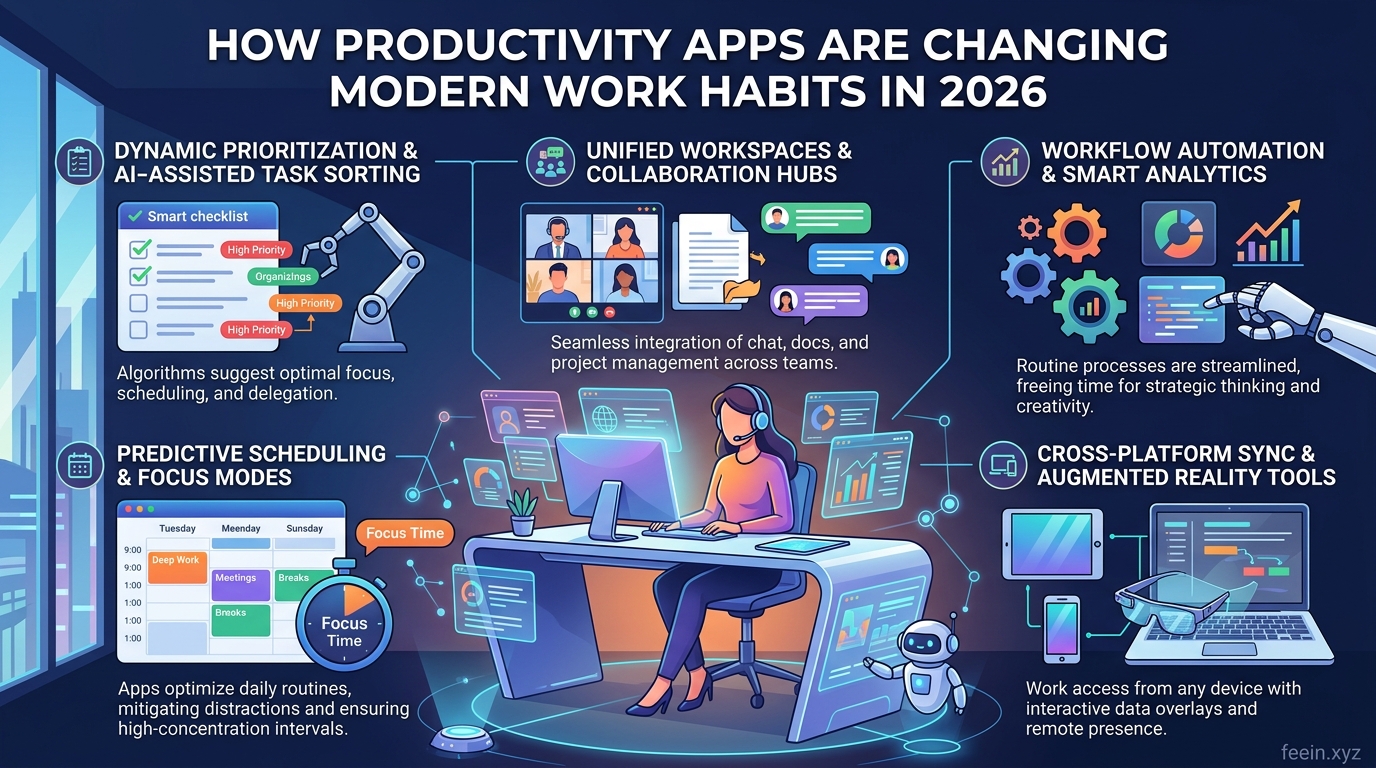
In 2026, productivity apps are no longer simple tools used to create to-do lists or schedule meetings. They have become part of the daily workflow for millions of professionals, helping teams organize tasks, manage communication, reduce repetitive work, and improve focus in increasingly digital environments.
From freelancers and remote workers to startups and large organizations, productivity software is shaping how people plan their day, collaborate with others, and manage information.
This article explores how productivity apps are changing work habits in 2026, including real-world use cases, benefits, challenges, and the growing role of automation and intelligent workflows.
Why Productivity Apps Have Become Essential
Modern work environments are more connected than ever, but they are also more complex.
Employees often deal with:
- Constant notifications
- Multiple communication channels
- Remote collaboration challenges
- Information overload
- Tight deadlines
- Task fragmentation
Without structured systems, productivity can decline quickly.
Productivity apps help solve these problems by creating organized digital workflows that allow people to work more efficiently and with less friction.
The Shift From Traditional Workflows to Digital Workspaces
A decade ago, many workplaces relied heavily on:
- Email chains
- Paper notes
- Physical meetings
- Manual task tracking
In 2026, work habits have shifted toward centralized digital workspaces where communication, tasks, files, and schedules exist in one ecosystem.
Instead of searching through emails for updates, employees now use platforms that combine:
- Messaging
- File sharing
- Task management
- Team collaboration
- Calendar integration
This reduces confusion and improves workflow visibility across teams.
How Productivity Apps Are Improving Daily Work Habits
1. Better Task Organization
One of the biggest changes in modern work habits is how people manage tasks.
Many workers previously relied on memory, sticky notes, or scattered spreadsheets. Productivity apps now allow users to:
- Create structured task lists
- Set priorities
- Track deadlines
- Break large projects into smaller steps
- Monitor progress visually
This creates clearer workflows and reduces mental overload.
Real-World Example
A freelance designer managing multiple clients may use a productivity platform to:
- Separate projects by client
- Track deadlines
- Store project files
- Monitor revisions
Without a centralized system, important tasks can easily be missed.
2. Reduced Time Spent on Repetitive Work
Automation is becoming one of the most important features in productivity software.
Modern apps can now automate:
- Meeting reminders
- File organization
- Status updates
- Data synchronization
- Workflow triggers
This reduces manual administrative work and allows employees to focus on higher-value tasks.
Example of Workflow Automation
A marketing team may automatically:
- Receive notifications when content is approved
- Move tasks between stages
- Generate weekly reports
- Sync updates between tools
Small automations can save hours every week.
3. Improved Remote Collaboration
Remote and hybrid work continue to shape business operations in 2026.
Productivity apps help distributed teams:
- Communicate in real time
- Share documents securely
- Track collaborative projects
- Conduct virtual meetings
- Maintain transparency
Without these tools, remote teams often struggle with coordination and delayed communication.
Why This Matters
Teams working across different time zones rely on asynchronous communication. Productivity platforms allow employees to review updates and continue work without requiring everyone to be online simultaneously.
The Role of AI in Productivity Apps
Artificial intelligence is increasingly integrated into workplace software.
In 2026, many productivity apps now include AI-powered features such as:
- Smart scheduling
- Automated summaries
- Task recommendations
- Workflow optimization
- Writing assistance
- Priority suggestions
AI tools are helping users manage growing workloads more efficiently.
However, companies are also becoming more cautious about balancing automation with human oversight.
Focus Management and Digital Distraction
While technology improves efficiency, it can also create distractions.
Many professionals experience:
- Notification fatigue
- Constant context switching
- Reduced attention span
To address this, productivity apps now include focus-oriented features such as:
- Focus timers
- Notification control
- Deep work sessions
- Priority filtering
- Screen time tracking
These tools encourage healthier digital work habits.
How Productivity Apps Support Small Businesses
Small businesses often operate with limited staff and resources.
Productivity software helps them:
- Manage projects efficiently
- Reduce operational delays
- Improve internal communication
- Organize customer information
- Track business workflows
Practical Example
A small online business may use productivity tools to:
- Coordinate inventory updates
- Schedule customer support tasks
- Track marketing campaigns
- Manage deadlines
This reduces organizational chaos and improves consistency.
Common Mistakes Companies Make
Even though productivity apps are useful, poor implementation can create new problems.
Mistake 1: Using Too Many Tools
Some organizations adopt multiple overlapping platforms, creating unnecessary complexity.
Employees may struggle with:
- Duplicate notifications
- Fragmented information
- Confusing workflows
Better Approach
Use fewer tools that integrate well together.
Mistake 2: Ignoring Employee Training
New tools require proper onboarding.
Without training:
- Features remain unused
- Teams create inefficient workflows
- Productivity gains are limited
Mistake 3: Over-Automation
Automation should simplify work — not remove human judgment entirely.
Some companies automate too many processes, causing:
- Communication gaps
- Reduced personalization
- Workflow confusion
Balanced implementation is essential.
Security and Privacy Considerations
As productivity apps handle sensitive business information, security has become increasingly important.
Organizations should prioritize:
- Strong passwords
- Two-factor authentication
- Access control permissions
- Secure cloud storage
- Employee cybersecurity awareness
Data privacy concerns are also influencing how companies choose productivity platforms.
How Work Habits Are Changing in 2026
Modern professionals are gradually shifting toward:
- Flexible work schedules
- Asynchronous communication
- Digital-first collaboration
- Workflow automation
- Outcome-focused productivity
Instead of measuring productivity by hours spent at a desk, many organizations now focus on:
- Efficiency
- Task completion
- Collaboration quality
- Workflow consistency
Productivity apps support this transition by making work more transparent and measurable.
The Future of Productivity Software
The next generation of productivity tools will likely focus on:
- Smarter AI assistance
- Personalized workflows
- Better integration between platforms
- Reduced digital overload
- Improved team analytics
Companies are increasingly looking for systems that improve productivity without creating unnecessary complexity.
The goal is not simply to work faster — but to work more intelligently.
Productivity apps are reshaping modern work habits in 2026 by improving organization, reducing repetitive tasks, supporting collaboration, and helping professionals manage increasingly digital workflows.
These tools are no longer optional additions to the workplace. They have become essential systems that influence how individuals and teams communicate, plan, and execute work every day.
However, the most effective use of productivity software comes from thoughtful implementation, balanced automation, and clear workflow management.
As work environments continue evolving, productivity apps will likely remain at the center of modern professional life.
Frequently Asked Questions
Q1: Are productivity apps only useful for businesses?
No. Freelancers, students, and individuals can also benefit from better task organization and workflow management.
Q2: Can productivity apps improve remote work?
Yes. They improve communication, collaboration, and project visibility for distributed teams.
Q3: Do productivity apps replace human management?
No. They support workflows and organization, but human oversight and decision-making remain important.
Q4: What is the biggest challenge when using productivity software?
One of the most common issues is using too many disconnected tools, which can create confusion instead of efficiency.
Q5: Are AI-powered productivity tools becoming more common?
Yes. AI features such as automated summaries, scheduling, and workflow recommendations are increasingly integrated into modern productivity platforms.









