
Introduction
Working from home has become common for freelancers, remote employees, and business owners. However, simply placing a laptop on a table is not enough to create an efficient workspace. A well-organized home office should combine the right technology, reliable connectivity, and ergonomic comfort.
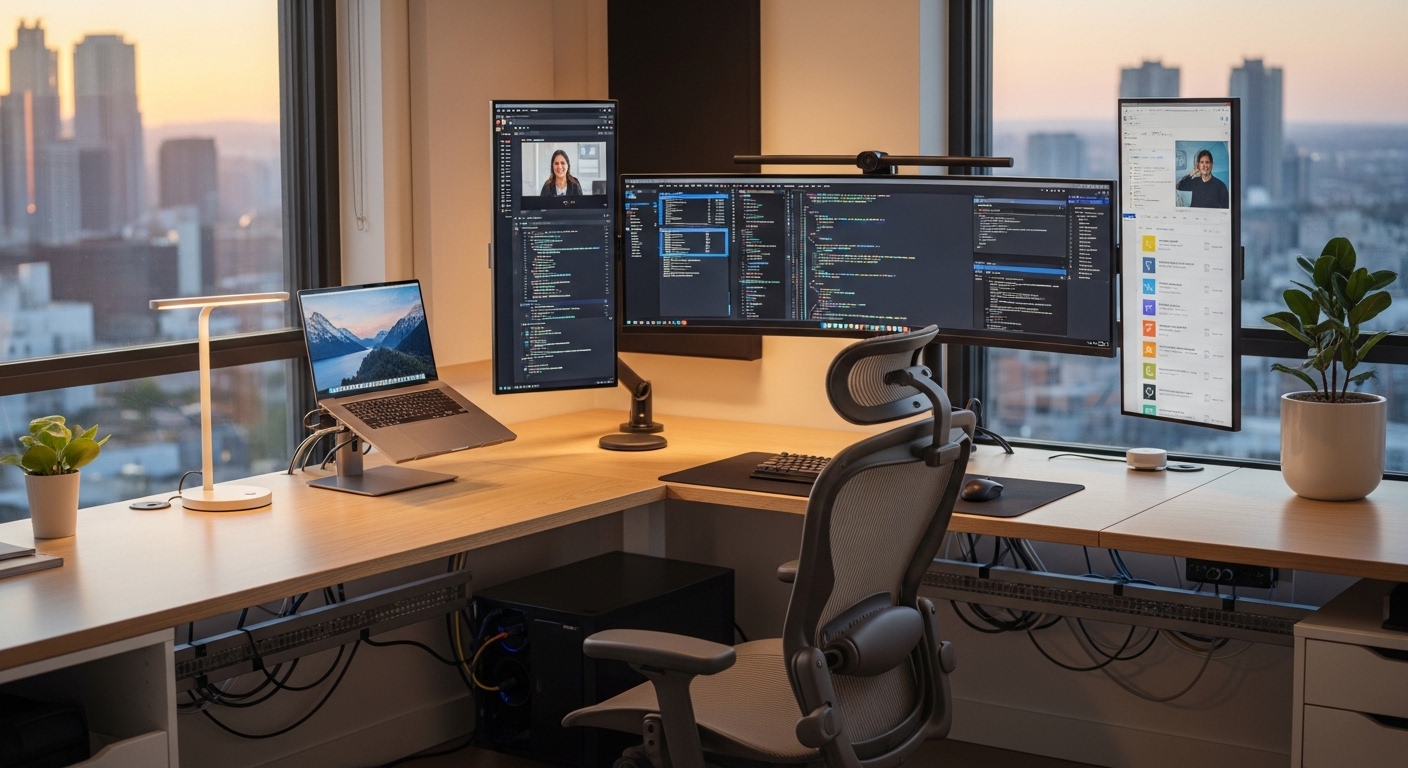
This guide explains how to set up a home office with tech efficiency. Whether you work full-time remotely or occasionally from home, the right setup can help reduce distractions, improve workflow, and support long-term productivity.
1. Choose the Right Location
Before thinking about devices and cables, start with the physical space.
An ideal home office area should:
-
Be quiet and separated from household distractions
-
Have access to natural light if possible
-
Provide enough space for desk equipment
-
Allow proper ventilation
If a separate room is not available, consider using a corner of a bedroom or living room and defining it clearly as a work-only area. This helps create mental separation between work and personal life.
2. Essential Tech Equipment for a Home Office
A tech-efficient office begins with reliable core devices.
Basic Equipment Checklist
-
A reliable laptop or desktop computer
-
High-resolution monitor (if using a laptop, consider a second screen)
-
Ergonomic keyboard and mouse
-
HD webcam (if not built into your device)
-
Noise-reducing headphones or headset
-
Surge protector or power strip
A second monitor is especially helpful for tasks that require multitasking, such as research, design, or data analysis.
3. Ensure Stable Internet Connectivity
Internet reliability directly affects productivity. Slow or unstable connections can interrupt video meetings, cloud-based work, and file uploads.
Steps to Improve Internet Performance:
-
Use a wired Ethernet connection when possible
-
Place your router in a central, open area
-
Upgrade to a higher-speed plan if your work requires large data transfers
-
Use a dual-band or modern Wi-Fi router
-
Restart your router regularly to maintain performance
For professionals who depend heavily on internet access, a backup mobile hotspot can provide additional security during outages.
4. Optimize Your Workspace Layout
Technology works best when arranged thoughtfully.
Desk Setup Tips
-
Keep frequently used devices within arm’s reach
-
Position the monitor at eye level
-
Maintain a distance of about 20–30 inches between your eyes and the screen
-
Use cable organizers to reduce clutter
-
Keep power outlets accessible but safe
A clean and organized desk not only looks professional but also reduces mental distractions.
5. Improve Ergonomics for Long-Term Comfort
Efficiency is not just about speed — it also involves sustainability. Poor posture and improper seating can lead to fatigue and discomfort.
Ergonomic Essentials:
-
Adjustable office chair with lumbar support
-
Desk height that allows elbows to rest at a 90-degree angle
-
Footrest if your feet do not touch the floor comfortably
-
Wrist support for keyboard use
Small ergonomic adjustments can prevent long-term strain and help maintain focus throughout the day.
6. Use Productivity and Organization Tools
Software plays an important role in creating an efficient home office.
Helpful Digital Tools:
-
Cloud storage for file backup and sharing
-
Task management apps for organizing projects
-
Calendar tools for scheduling
-
Note-taking applications
-
Communication platforms for team collaboration
The goal is not to install many apps, but to choose tools that simplify your workflow and reduce manual effort.
7. Strengthen Security and Data Protection
Working from home introduces additional security risks, especially when handling sensitive information.
Basic Security Measures:
-
Use strong, unique passwords
-
Enable two-factor authentication
-
Keep your operating system updated
-
Install antivirus or endpoint protection software
-
Secure your Wi-Fi network with a strong password
Maintaining cybersecurity helps protect both personal and professional data.
8. Manage Lighting and Acoustics
Lighting and sound influence concentration.
Lighting Tips:
-
Use adjustable desk lamps
-
Avoid glare on the monitor
-
Position light sources behind or beside the screen
Sound Control Options:
-
Use noise-canceling headphones
-
Add soft furnishings (curtains, rugs) to reduce echo
-
Consider white noise machines if the environment is loud
These small changes can significantly improve comfort and focus.
9. Maintain and Update Your Setup Regularly
Technology evolves, and equipment performance changes over time.
You should:
-
Check for software updates regularly
-
Clean dust from devices and vents
-
Replace worn cables or accessories
-
Evaluate whether your setup still meets your workload needs
Regular maintenance ensures long-term efficiency.
Common Mistakes to Avoid
When setting up a home office, people often:
-
Ignore ergonomic seating
-
Overcrowd the desk with unnecessary devices
-
Use weak internet connections
-
Forget about cybersecurity
-
Mix personal and professional equipment without organization
Avoiding these mistakes can save time and prevent frustration.
Conclusion
Setting up a home office with tech efficiency requires thoughtful planning. The right combination of reliable hardware, stable internet, ergonomic design, and secure software creates a productive and comfortable workspace.