Smart speakers have become a common part of modern homes. Devices like voice assistants can play music, answer questions, control smart home devices, and provide helpful information — all through simple voice commands.
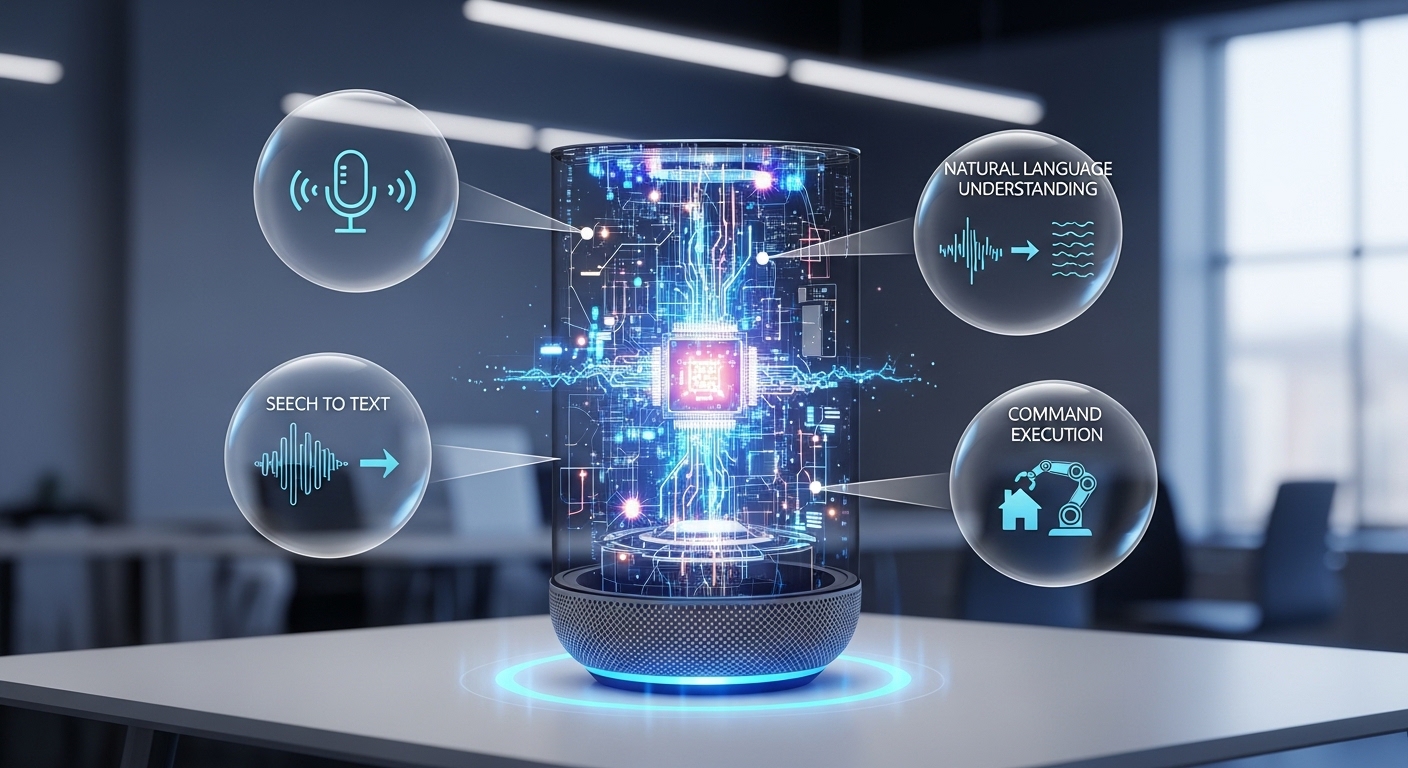
But how do smart speakers actually understand what you are saying?
In this guide, we will explain how smart speakers process voice commands, from the moment you speak to the moment you receive a response. We’ll break down the technology in simple terms so anyone can understand it.
What Is a Smart Speaker?
A smart speaker is a voice-controlled device that combines:
-
Microphones
-
A speaker (for audio output)
-
Internet connectivity
-
Artificial intelligence software
Its main function is to listen for voice input, process it, and provide a response — either by speaking back or performing an action.
Smart speakers typically connect to cloud-based systems that handle advanced processing tasks.
Step 1: Wake Word Detection
Smart speakers do not constantly record everything you say. Instead, they listen for a specific “wake word” such as:
-
“Hey…”
-
“OK…”
-
Or another preset activation phrase
How Wake Word Detection Works
Inside the device, a small low-power processor continuously listens for patterns that match the wake word. This process is called:
Keyword spotting
Only when the wake word is detected does the device activate full voice processing.
This design helps reduce unnecessary data transmission and improves privacy controls.
Step 2: Capturing Your Voice
Once activated, the smart speaker records your command using multiple built-in microphones.
Why Multiple Microphones?
Smart speakers often use far-field microphones, which allow them to:
-
Hear you from across the room
-
Reduce background noise
-
Focus on the speaker’s voice
This technology is known as beamforming. It helps isolate your voice even in noisy environments.
Step 3: Converting Speech to Digital Data
After capturing your voice, the device converts sound waves into digital signals.
This involves:
-
Sampling the audio
-
Converting analog signals into digital format
-
Compressing the data
At this stage, your voice is no longer sound — it is digital information ready for processing.
Step 4: Speech Recognition (Speech-to-Text)
Now the system must figure out what you actually said.
This process is called:
Automatic Speech Recognition (ASR)
ASR systems analyze:
-
Pronunciation
-
Accent
-
Speech patterns
-
Word probability
Using machine learning models trained on large datasets, the system converts your speech into text.
For example:
Voice input:
“What’s the weather tomorrow?”
Converted text:
What is the weather tomorrow
Step 5: Natural Language Processing (NLP)
Understanding words is not enough. The system must understand the meaning behind them.
This is where Natural Language Processing (NLP) comes in.
NLP helps the system determine:
-
Intent (What are you asking for?)
-
Context (What does it relate to?)
-
Entities (Weather, date, music, etc.)
For example, in the question:
“Turn off the kitchen lights.”
The system identifies:
-
Intent: Turn off
-
Object: Lights
-
Location: Kitchen
This allows the speaker to perform the correct action.
Step 6: Cloud Processing
Most smart speakers send processed voice data to cloud servers.
Why use the cloud?
Because advanced AI models require:
-
High computing power
-
Large data processing capabilities
-
Continuous learning updates
The cloud system analyzes your request, determines the best response, and sends the result back to your device.
Step 7: Generating a Response
Once the system understands your request, it performs one of two actions:
1. Information Response
It generates a spoken reply using:
Text-to-Speech (TTS) technology.
Example:
“Tomorrow’s forecast is sunny with a high of 25 degrees.”
2. Action Response
It triggers a connected device, such as:
-
Turning on lights
-
Playing music
-
Setting alarms
-
Controlling thermostats
The response happens within seconds.
How Smart Speakers Handle Noise and Accents
Modern systems improve accuracy through:
-
Machine learning training data
-
Noise reduction algorithms
-
Voice recognition personalization
-
Context memory
Some devices even adapt to specific users over time, improving response accuracy.
Are Smart Speakers Always Listening?
This is a common concern.
Smart speakers:
-
Continuously listen for the wake word
-
Do not actively record conversations unless activated
-
Allow users to mute microphones
-
Provide options to review or delete voice history
Users can typically manage privacy settings in the device’s companion app.
Key Technologies Behind Smart Speakers
Here’s a summary of the core technologies involved:
-
Wake word detection
-
Far-field microphones
-
Speech-to-text (ASR)
-
Natural Language Processing (NLP)
-
Cloud computing
-
Text-to-speech (TTS)
-
Machine learning algorithms
Together, these systems allow smart speakers to respond quickly and accurately.
Advantages of Smart Speaker Technology
Smart speakers offer several practical benefits:
-
Hands-free control
-
Quick access to information
-
Smart home integration
-
Accessibility support
-
Time-saving automation
As voice recognition technology continues to improve, smart speakers are becoming more efficient and reliable.
Conclusion
Smart speakers process voice commands through a multi-step system involving wake word detection, audio capture, speech recognition, natural language processing, and cloud-based AI.
While the process may seem complex, it happens in just a few seconds — allowing users to interact with technology in a simple and natural way.
Understanding how smart speakers work helps users make informed decisions and better manage privacy and device settings.
As voice technology continues to evolve, smart speakers are expected to become even more intelligent and responsive in the future.
Frequently Asked Questions (FAQ)
1. Do smart speakers store everything I say?
No. They primarily listen for a wake word and process commands only after activation. Users can review and delete voice history.
2. Can smart speakers work without the internet?
Most advanced features require an internet connection because processing happens in the cloud.
3. How accurate are smart speakers?
Accuracy depends on background noise, accent clarity, and network connection. Modern devices generally provide high recognition accuracy.
4. Can multiple people use the same smart speaker?
Yes. Some systems support voice recognition profiles for different users.









